
Is Hotel Lobby AI Free? Credits, Costs and Watermarks
What 20 free credits cover, the cost of each length and quality, and how a purchase unlocks watermark-free downloads of eligible existing videos.
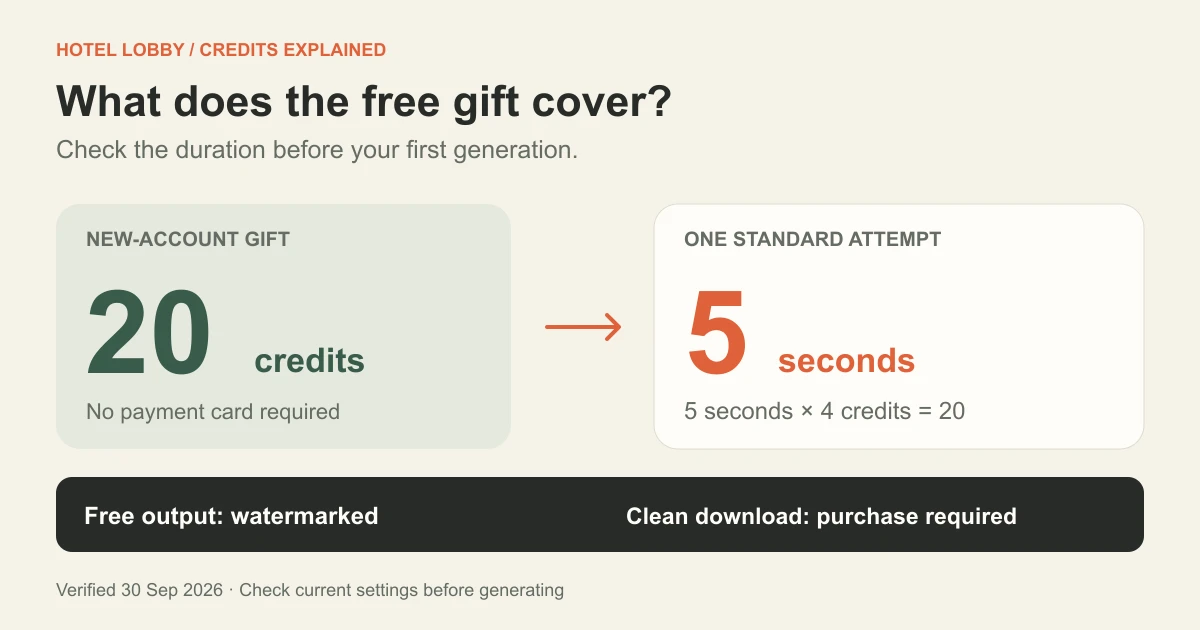
Yes, you can try Hotel Lobby AI free, but free output includes a watermark. As checked on September 30, 2026, new accounts receive 20 sign-up credits without a card. That covers one 5-second Standard video. A 10-second Standard video needs 40 credits. Any credit-pack or plan purchase unlocks watermark-free downloads for eligible videos, including ones you already generated.
This guide separates three questions: Can I generate free? How much does another video cost? Can I download without a watermark? The answer depends on your available credits, selected settings and purchase history. Prices and screenshots below are a dated reference; the generator and pricing page show current terms.
Jump to: Free trial · Credit table · Plans · Watermark and old videos · Failed jobs · FAQ
What can I make with the free credits?
The current sign-up gift is 20 credits. Standard costs 4 credits per second, so a 5-second Standard video uses exactly 20 credits. No payment card is needed for the sign-up gift. It is an account credit balance, not an unlimited free service or a new allowance every time you upload photos.
- Sign in to your account and check the available balance.
- Add the two photos to the Hotel Lobby generator.
- Select 5s and Standard.
- Confirm that the displayed cost fits your balance, then generate.
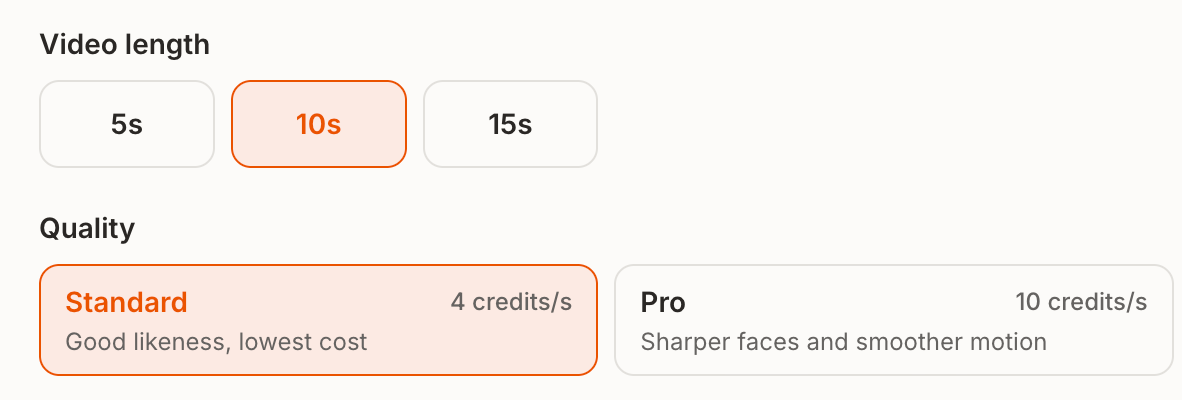
The generator initially selects 10 seconds, which needs 40 credits at Standard quality. If you see that you need more credits straight after signing up, check the duration before buying a plan. Also check whether you have already spent some of your balance on another video tool.
A free-credit clip still has the selected 720p landscape format and original audio. It carries a small moving site watermark. For the actual upload steps, see the illustrated two-photo tutorial.
How many credits does each Hotel Lobby video cost?
The calculation is video length × credits per second for the selected quality. It is charged per video, not separately for each of the two photos.
| Video length | Standard · 4 credits/s | Pro · 10 credits/s |
|---|---|---|
| 5 seconds | 20 credits | 50 credits |
| 10 seconds | 40 credits | 100 credits |
| 15 seconds | 60 credits | 150 credits |
These rates were verified on September 30, 2026. The cost beside Generate is the final reference before you submit. Changing duration or quality changes that quote.
For example, 60 credits cover three 5-second Standard attempts or one 15-second Standard attempt. Neither option guarantees that every completed result will be a keeper. If you are still choosing your photos, a short attempt limits the credits spent on that attempt.
Pro quality and the Pro subscription are different choices. Quality controls the cost of a generation. A subscription or credit pack adds credits to your account. You do not need the Pro subscription just to select Pro quality; you need enough credits. Both quality options export 720p.
Do I need a subscription, or can I buy credits once?
The pricing page offers Monthly, Yearly and Credit packs tabs. A credit pack is a one-time purchase. Choose it if you want an occasional batch without a recurring subscription. Compare the monthly and yearly options if you expect to keep generating.
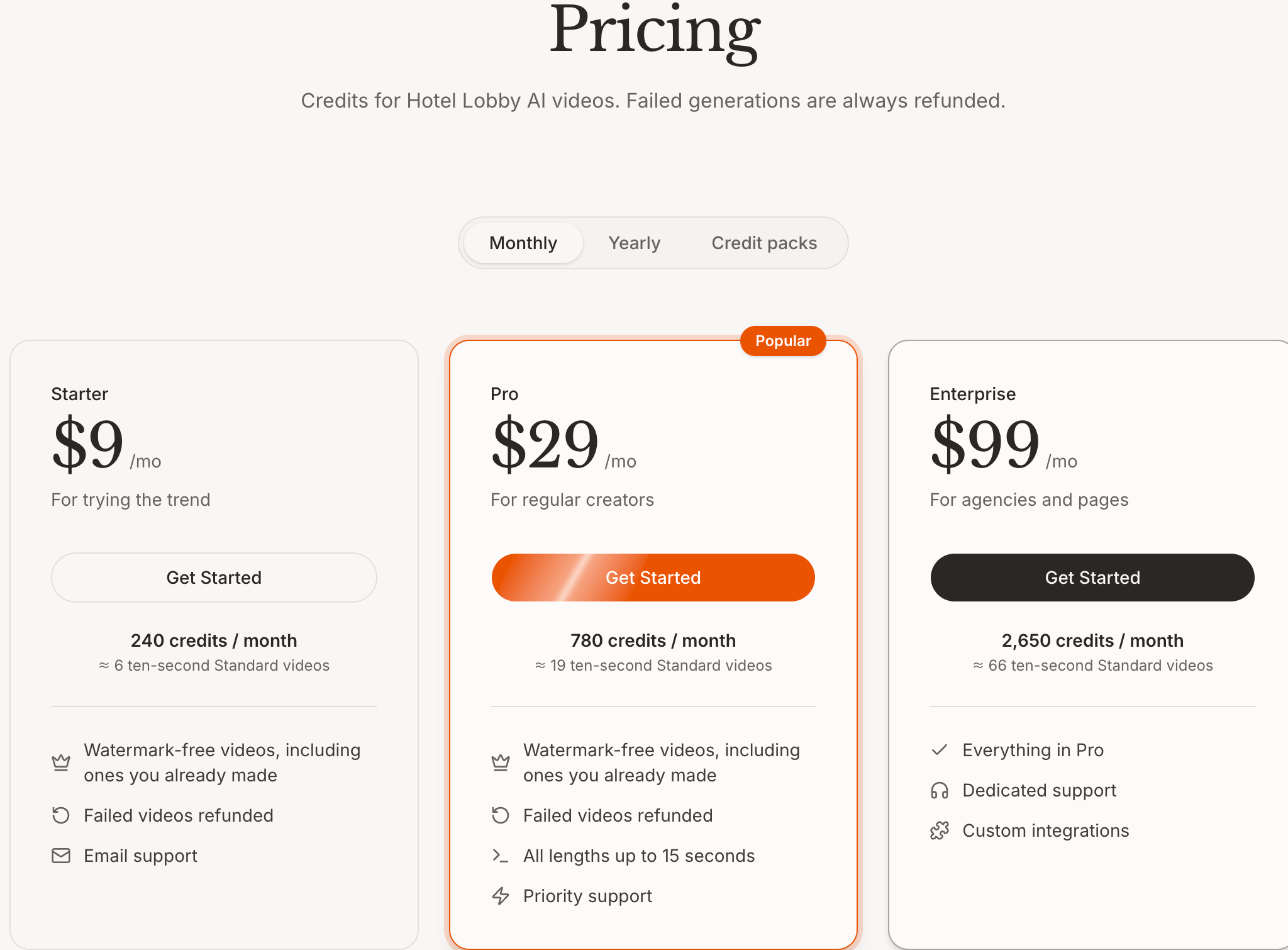
At the rates above, the 240 credits in the displayed Starter monthly plan cover six 10-second Standard videos if you use all of those credits for that combination. Selecting Pro quality or using another tool changes how many videos the balance can cover. A credit balance is not a promise of a fixed number of videos.
Check the selected billing period, total payment and credits before checkout. Do not treat a yearly plan's monthly-equivalent display as a monthly charge. A plan purchase also changes watermark eligibility, as explained below.
How do watermark-free downloads work?
Before a purchase, free-account videos carry a small moving site watermark. Any completed credit-pack or plan purchase makes the account eligible for clean downloads. You do not need to buy the most expensive plan solely to remove the watermark.
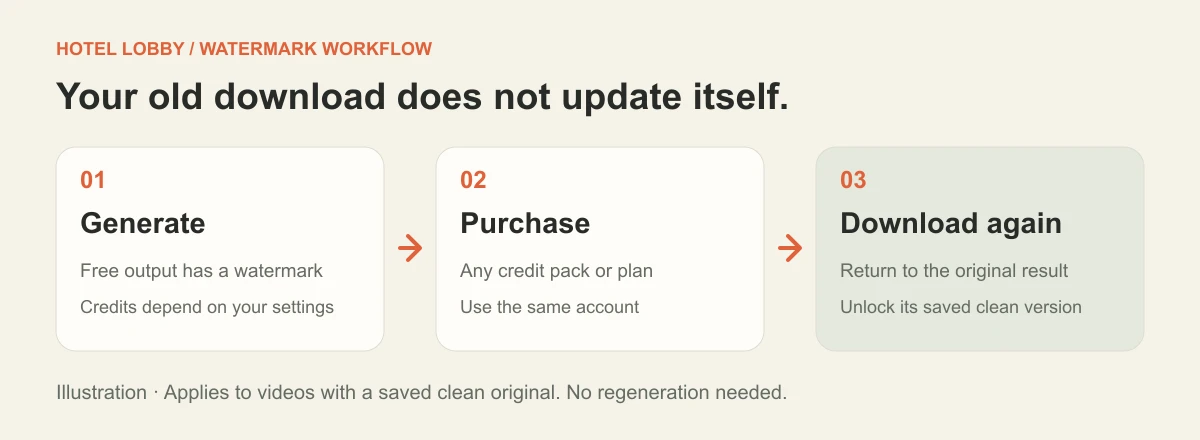
For an existing video with a saved clean version:
- Complete the purchase using the same account that generated the video.
- Return to the result or My videos. Refresh if the old preview is still showing.
- Download the video again. This retrieves its clean version without generating the scene again or using credits for a new generation.
This unlock applies to the saved video, not to a file already downloaded to your phone. Some older videos may not have a saved clean version; follow the message shown for that result instead of assuming every historical file can be unlocked.
Buying a plan does not automatically select Pro quality. Likewise, selecting Pro quality is not the purchase that unlocks watermark-free downloads. Check these two choices separately.
What happens if a generation fails?
Failed generation credits are returned automatically. A job that is still processing is not yet a failure: check its status before launching another attempt.
A successfully delivered clip that you dislike is a different case. A face looking different from what you hoped for does not by itself mean the job failed, and a replacement attempt uses credits. Review the photo tips and troubleshooting steps before retrying.
A generation-credit refund is also different from a refund of a money payment. For billing questions, consult the current terms and contact the site's support rather than assuming that automatic credit returns cancel a purchase.
Free credits and watermark FAQ
Is there a free, watermark-free option on this site?
The offer checked for this guide provides free generation credits, with a watermark on free-account output. Clean downloads require a purchase. Do not confuse a free trial with a free watermark-free export.
Why do I have 20 credits but cannot make the default video?
The default 10-second Standard selection costs 40 credits. Change it to 5-second Standard, which costs 20, or add credits. If you already spent part of the gift, even a 5-second attempt may exceed the remaining balance.
Does buying Starter remove the watermark too?
Yes. Any completed credit-pack or plan purchase qualifies the account for eligible clean downloads; it is not reserved for the Pro subscription.
Do I need to pay for the same generation twice to remove the watermark?
Not when that video has a saved clean version. After the account's purchase, download that version. Pressing Generate again instead starts a new job and uses credits.
Are Pro videos longer, vertical or 1080p?
No. The duration options remain 5, 10 and 15 seconds, and the export remains 720p, 16:9. Pro changes the generation quality option and its credit cost.
What is the simplest way to start?
Read the two-photo walkthrough, then open the generator with your photos ready. Confirm duration, quality, available balance and watermark expectations before generating.